
JetBrains Rider supports Metalama's core functionality out of the box. If you're creating aspects and want to test them, you'll need additional configuration.
Configuring aspect test discovery
Note
This section applies only if you're creating your own aspects and want to test them. If you're just using existing aspects, you can skip this.
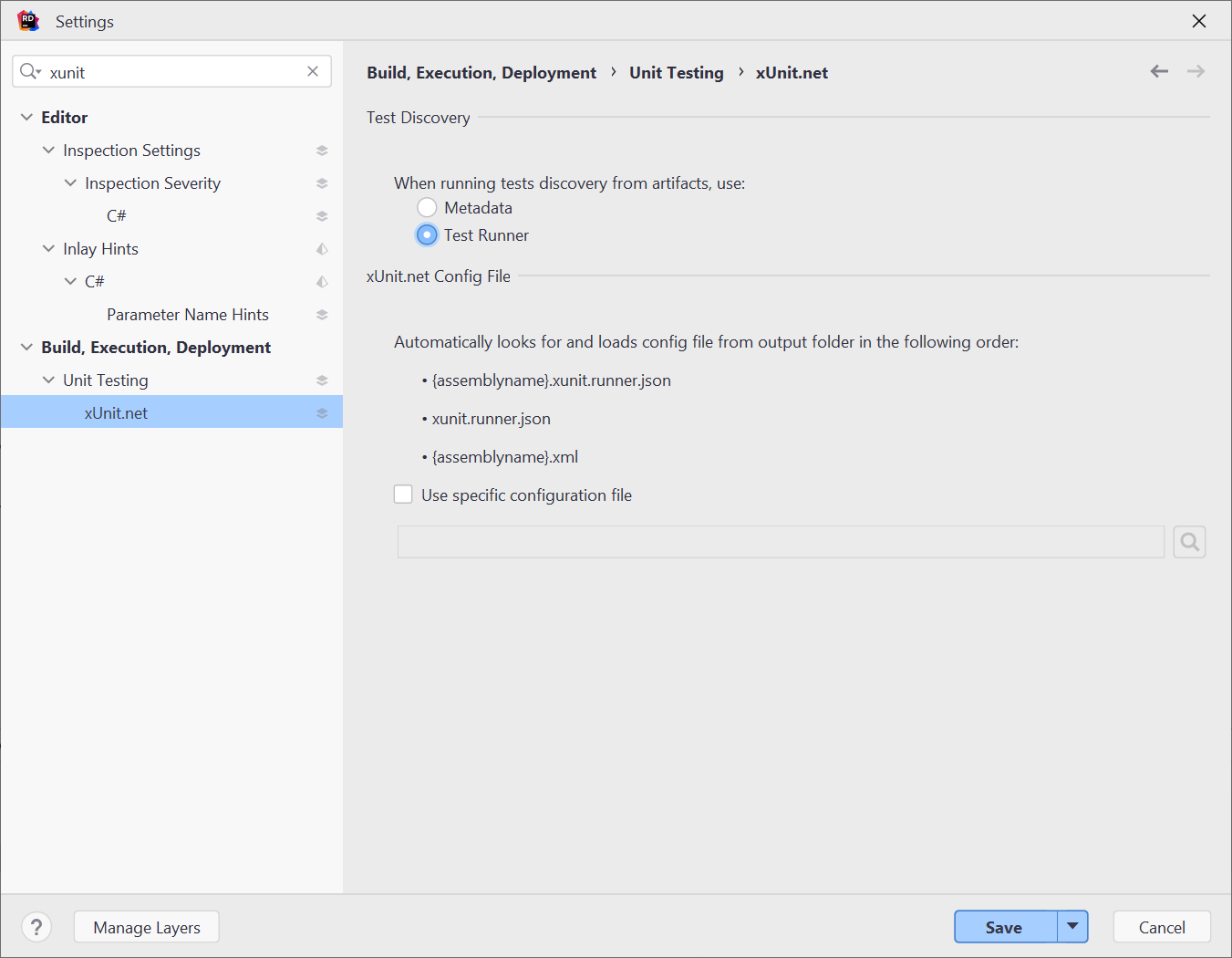
Metalama's aspect testing framework uses a custom xUnit test discovery mechanism. By default, Rider uses metadata-based discovery and won't detect aspect tests. You'll need to configure Rider to use the test runner for discovery.
To configure test discovery:
- Open File > Settings (or Rider > Preferences on macOS).
- Navigate to Build, Execution, Deployment > Unit Testing > xUnit.net.
- For Test discovery, select Test Runner instead of Metadata.
Note
Running aspect tests in Rider is supported starting with Metalama 2023.1.
After you change this setting, rebuild your test project. Tests should now appear in the Unit Tests window.
ReSharper configuration
If you're using ReSharper in Visual Studio, the same test discovery setting applies:
- Open Extensions > ReSharper > Options.
- Navigate to Tools > Unit Testing > Test Frameworks > xUnit.net.
- Select Test Runner for test discovery.
Handling orphaned processes
When you run aspect tests with diff tools enabled (see Configuring the external diff tool), Rider may show an "orphaned processes" dialog when tests complete while diff tools are still open.
To prevent this:
- Open Settings > Build, Execution, Deployment > Unit Testing.
- Find the orphaned processes settings.
- Configure to ignore or automatically terminate diff tool processes.
Limitations
The following Metalama features aren't available in Rider:
- CodeLens: Aspect information overlays
- Diff preview: Visual code transformation preview
- Live templates: Source code modification aspects
These features require the Metalama Tools for Visual Studio extension.
Troubleshooting
Tests not appearing
If aspect tests don't appear in the Unit Tests window:
- Verify the test discovery setting is set to Test Runner.
- Rebuild the test project.
- Refresh the Unit Tests window.
- Ensure the project references
Metalama.Testing.AspectTesting.
Build errors in test projects
If you see build errors related to Metalama in test projects:
- Verify that
Metalama.Testing.AspectTestingis referenced. This disables Metalama processing. - Check that
.t.csfiles aren't being compiled. The package should exclude them automatically.