
Note
These features require a Metalama Community or Metalama Professional license.
Note
These features are only available in Visual Studio when Visual Studio Tools for Metalama are installed. See Configuring your IDE for IDE-specific information.
After integrating aspects into your code, you might be curious about its functionality and execution process. Metalama provides several tools to help you understand what happens with your code when you hit the Run button.
These tools include:
- CodeLens
- Metalama Diff
- Aspect Explorer
CodeLens
CodeLens displays the number of aspects applied to your code directly in the editor. Click the summary for more details:
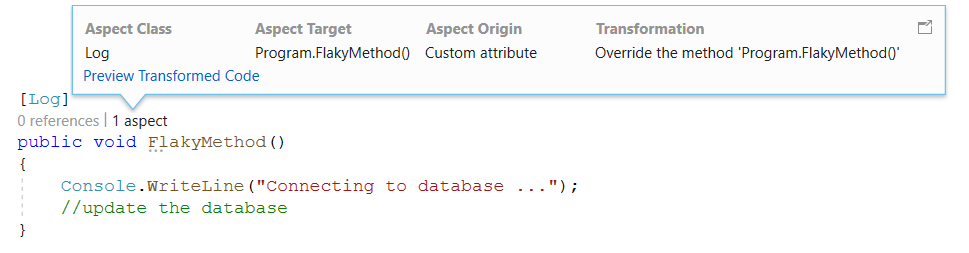
CodeLens reveals the following details:
| Detail | Purpose |
|---|---|
| Aspect Class | The name of the aspect applied to this target. |
| Aspect Target | The fully qualified name of the target. |
| Aspect Origin | How the aspect is applied. |
| Transformation | A default message indicating that the aspect alters the behavior of the target method. |
This feature is particularly useful when many aspects are added to your code or when aspects are applied implicitly. Even if there's no aspect custom attribute on your code, an aspect may still be applied through aspect inheritance (when the aspect is applied to an ancestor class or interface) or fabrics (which add aspects in bulk without custom attributes).
Metalama Diff
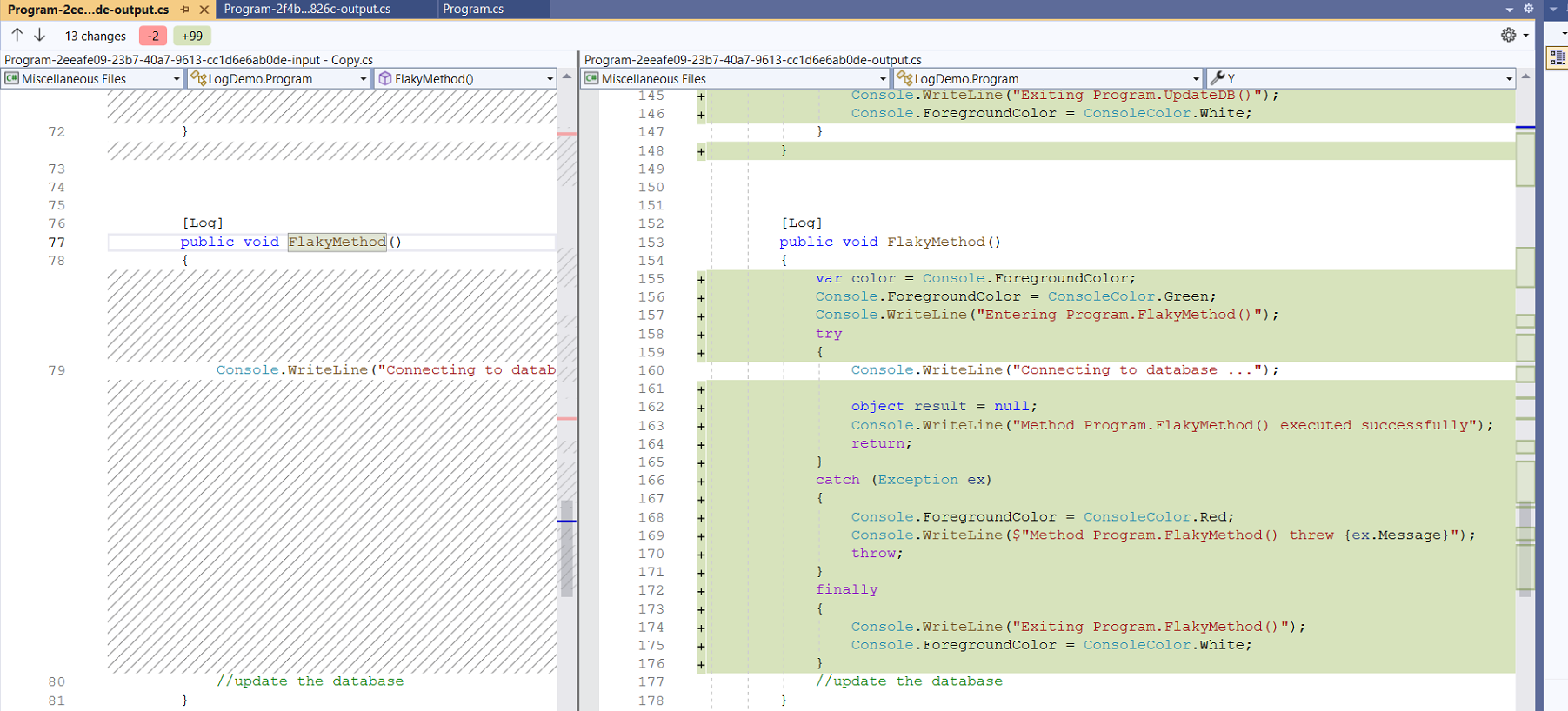
After discovering that aspects affect your code, you might wonder how. The simplest approach is to compare your source code with the generated code side by side in a diff. This is what Metalama Diff provides.
To preview the change, click the Preview Transformed Code link in Code Lens. Alternatively, right-click the document and choose Metalama Diff from the context menu.
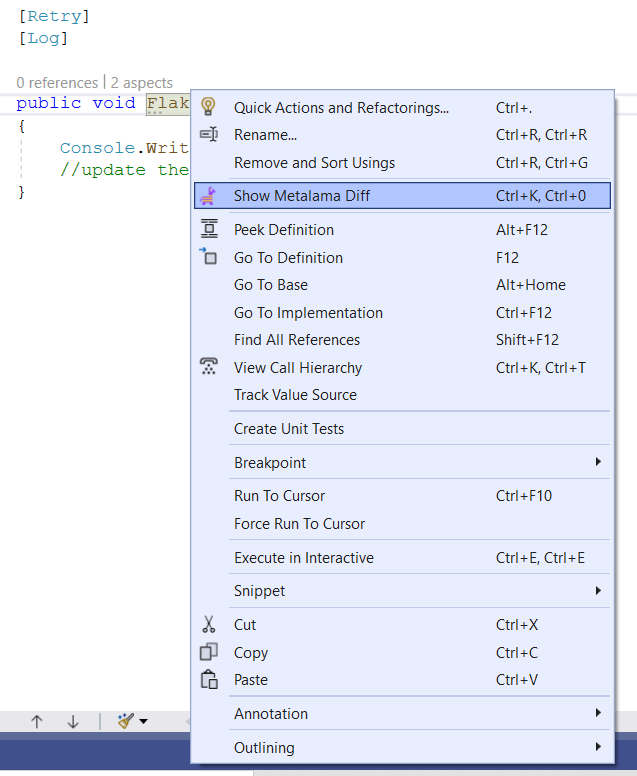
The result displays as follows:
Note
Access this preview dialog by pressing Ctrl + K followed by 0.
The screenshot above displays the source of FlakyMethod and the code modified by the [Log] aspect. However, the command shows the entire file in its original and modified versions side by side.
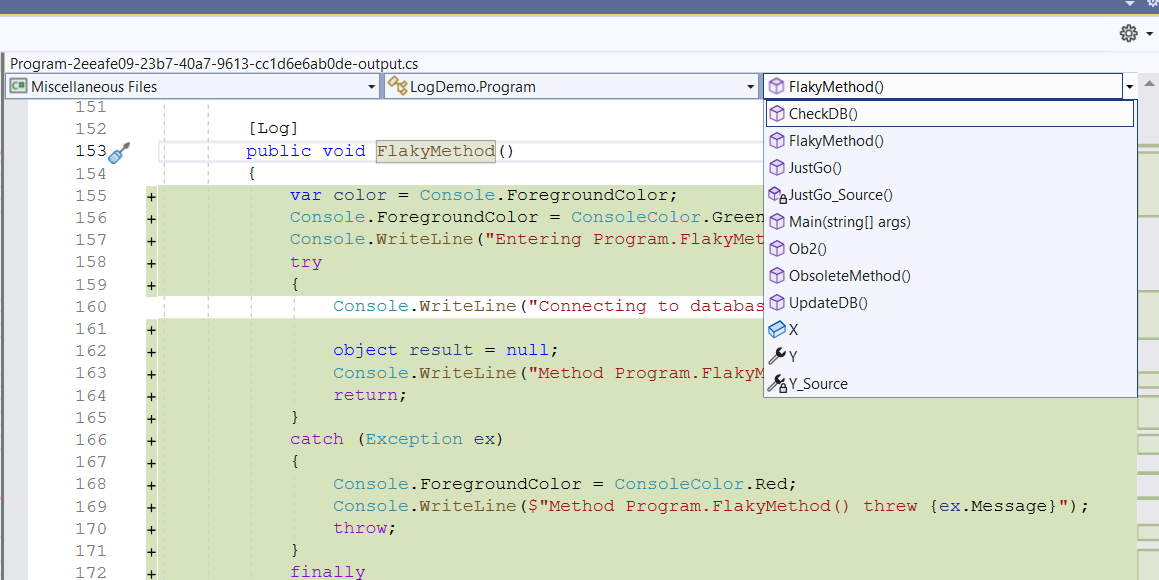
To view changes for a specific section of the code, select that section from the dropdown.
Aspect Explorer
With CodeLens, you start from a specific piece of code and wonder which aspects influence it.
Aspect Explorer answers the opposite question. It shows all aspects available in the current solution, and when you select one, it displays the declarations it affects.
To open the Aspect Explorer tool window, use the top-level menu and select Extension > Metalama + PostSharp > Aspect Explorer.
